


To start receiving payments for your courses, you need to connect your LearnWorlds site with a payment gateway, such as PayPal. You need to have a PayPal business account.
The required information for accepting PayPal payments is as follows:
- PayPal Client ID
- PayPal Secret
How to obtain your API credentials
1. Log in to your PayPal business account (if you have a personal account, you will need to upgrade to a business account from your PayPal settings) and click on this link to access your API information.
2. A new tab will open in PayPal. Under Apps & Credentials click and create a new app. 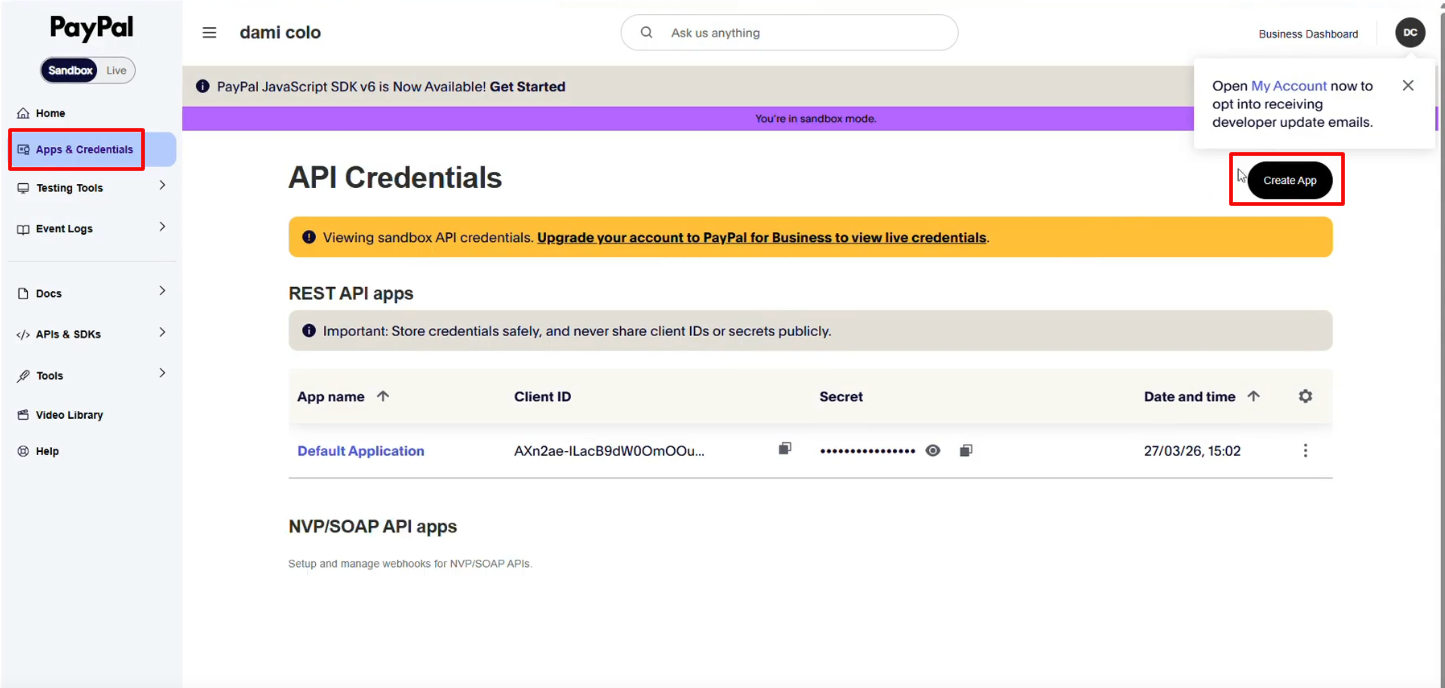
3. Select the Merchant option and create your app.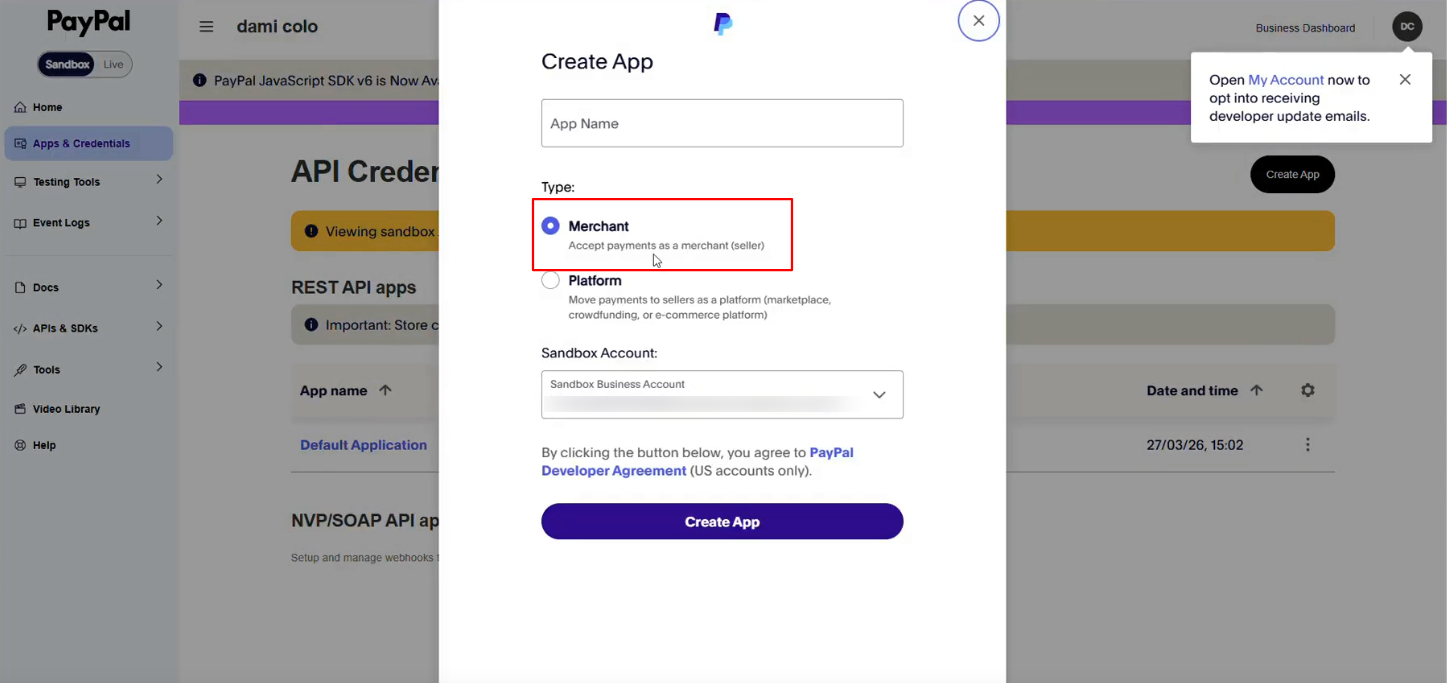
4. Once the app is created, you will see under App name you can now find your Client ID and secret.
How to set up PayPal as your payment gateway
Go to Settings → Financial → Payment Gateway and choose the PayPal option. Paste the PayPal Client ID and Secret in the respective LearnWorlds fields.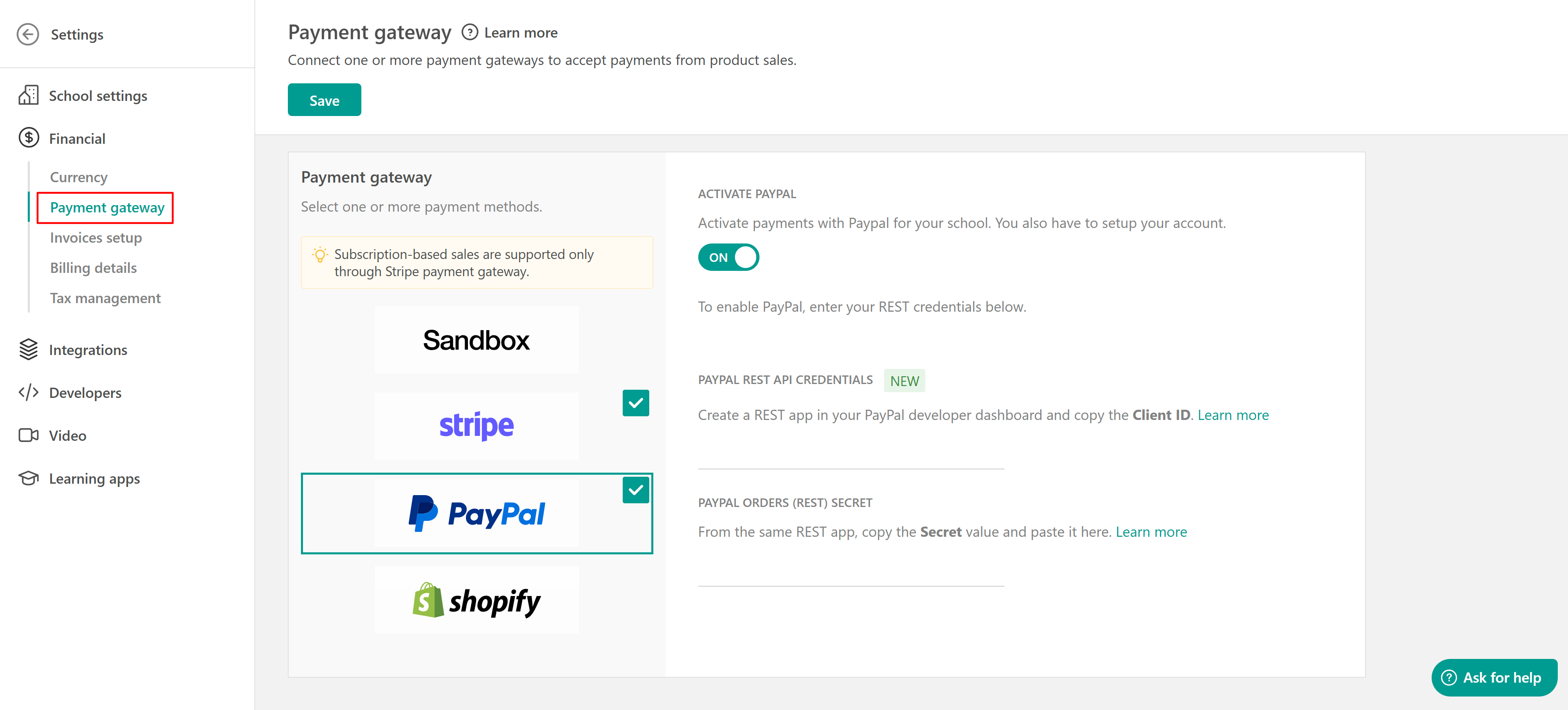
Make sure to save your changes when you are done and Activate PayPal.
 You can connect multiple Payment Gateways with your school at the same time. However, if you choose to connect Shopify as your Payment gateway, you will also be unable to connect one of the additional Payment Gateway options we offer.
PayPal Legacy Setup (For Existing Users)
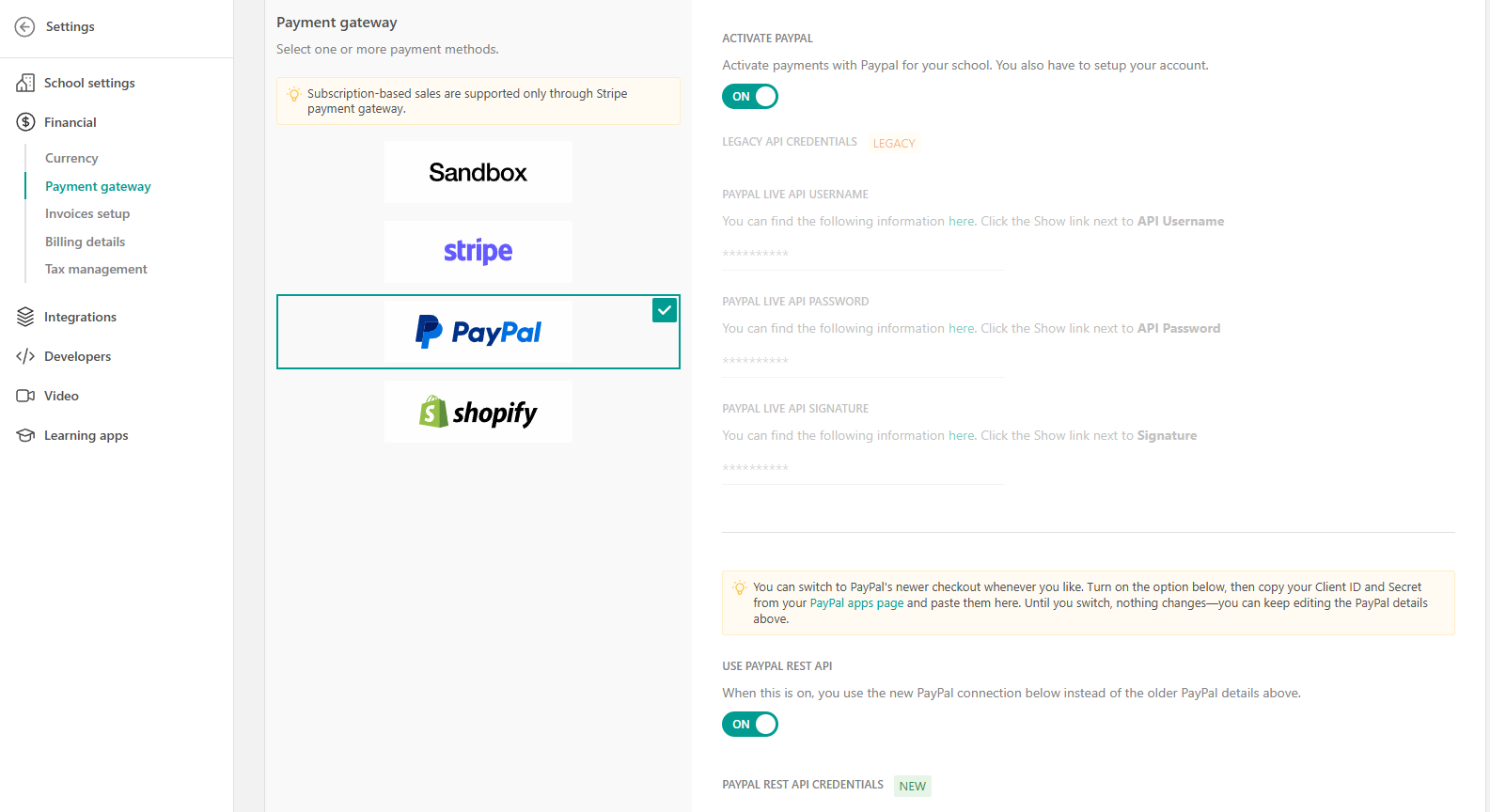
If you had already connected PayPal before April 2026, your setup might now considered legacy.
What you will see:
- A notification in your LearnWorlds dashboard prompting you to update your PayPal integration
- In your PayPal account, you may initially see legacy credentials/settings, along with the option to switch to the new setup
To continue using PayPal without interruptions, you will need to migrate to the new setup. Follow the steps above as if you were connecting PayPal for the first time to complete the process.
Important PayPal settings that you need to verify in your account
1. The first setting allows your PayPal account to accept payments in all currencies (foreign credit cards are denominated in local currencies, which might be different than the default currency of your LearnWorlds school. If you do not enable these settings, then foreign credit card payments might be denied).
- The setting is available on this page: https://www.paypal.com/businessmanage/preferences/payments (you must be logged in with your PayPal account to access it).
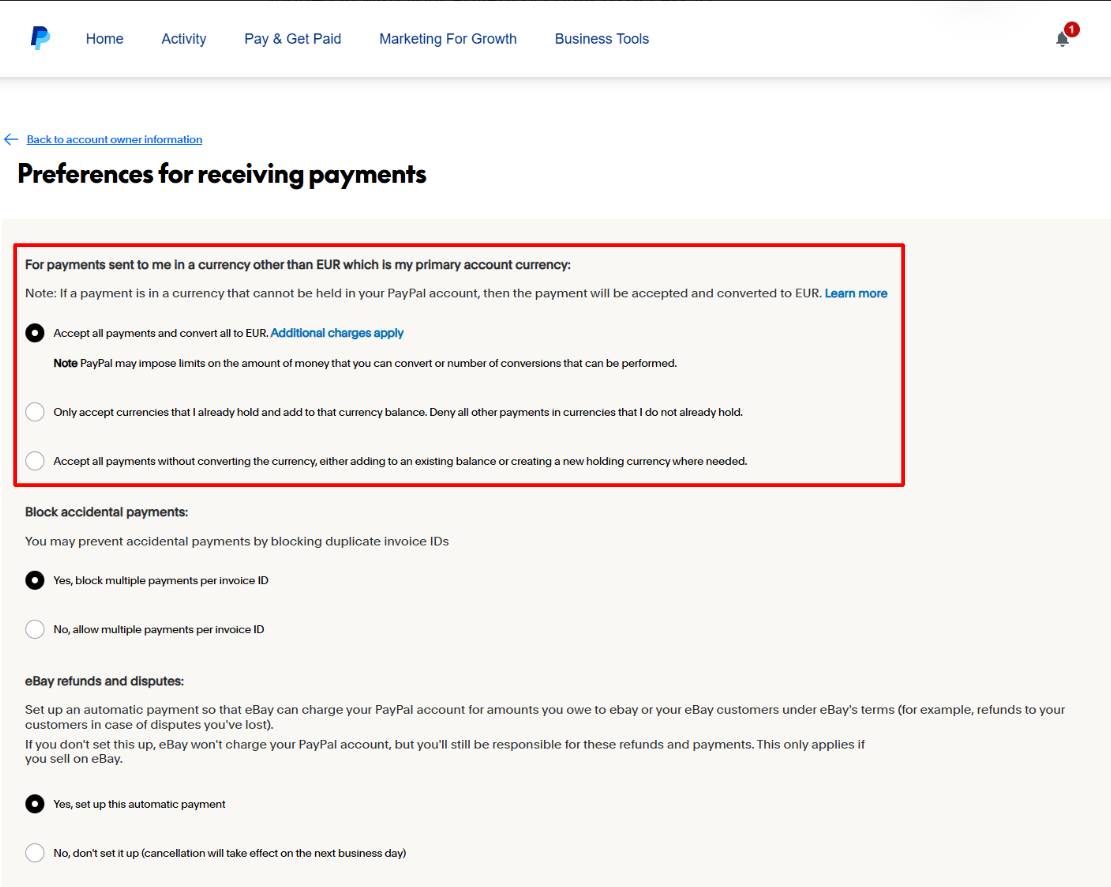
- At the top of the page, where it says, "Allow payments sent to me in a currency I do not hold:" you should check the first option, "Yes, accept and convert them to $/£/€" (whatever the default currency of your PayPal account is).
2. The second setting ensures that your customers can pay with a credit card without necessarily having to create a PayPal account
- The setting is available in the following URL: https://www.paypal.com/businessmanage/preferences/website
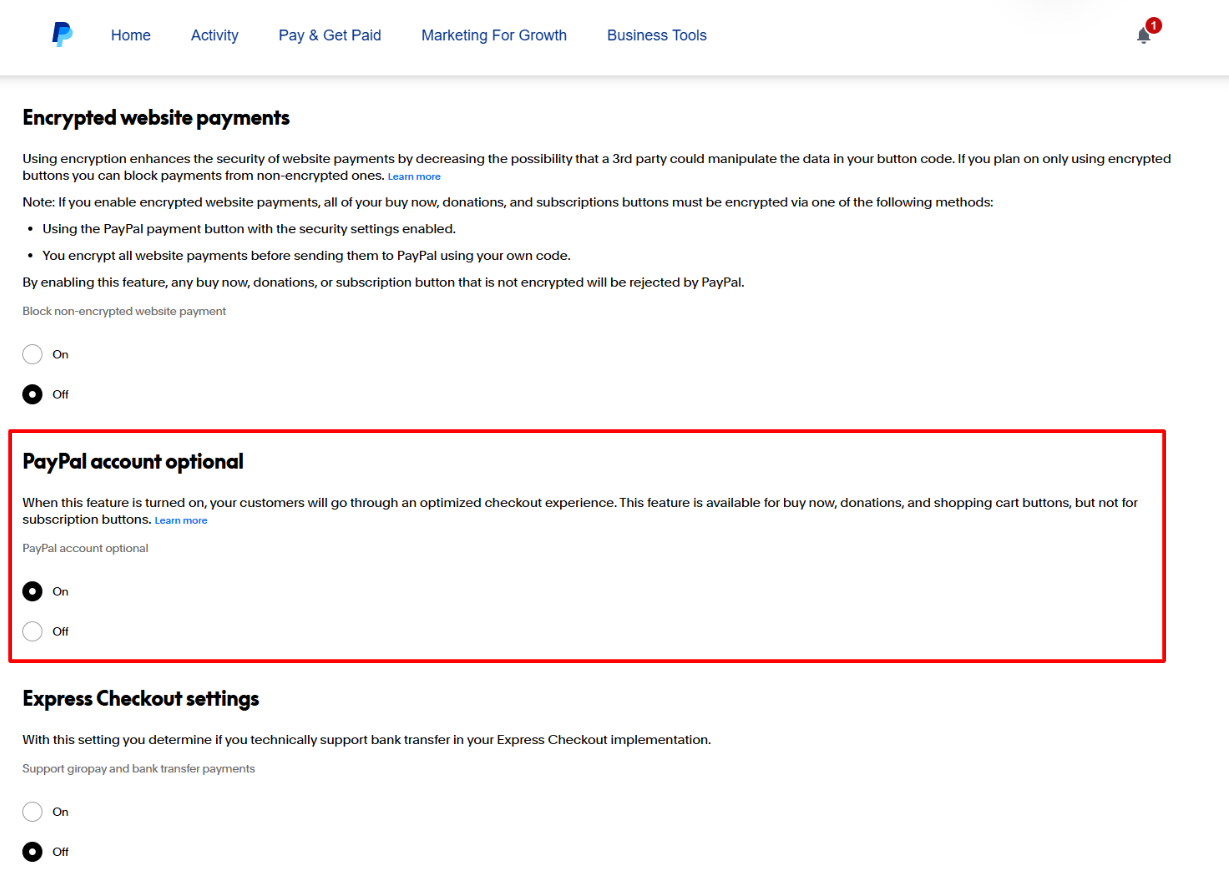
- Towards the bottom of the page, make sure that the "PayPal Account Optional" setting is set to "On".
- The Sandbox option needs to be deactivated when the school goes live to avoid paid course access without payment since when in Sandbox mode, no credit cards will actually be processed. This model is offered only to test the payment flow & generate sample invoices.- We suggest you always make a test purchase after setting up your payment method in order to see that everything is working as expected.